 Cover story · Issue 01
Off-GridCover Story
The People’s Mesh
It began as one engineer’s fix for dead phones in the mountains. Six years later, Meshtastic is a planet-wide experiment in a network that nobody owns — and nobody can switch off.
The technology of the unlit world
Live · a simulated mesh flooding one message, hop limit 3Cover story · Issue 01It began as one engineer’s fix for dead phones in the mountains. Six years later, Meshtastic is a planet-wide experiment in a network that nobody owns — and nobody can switch off.
Your router already fills your home with a radar signal.
Build a weatherproof, solar-powered LoRa relay from off-the-shelf parts in one afternoon — and give your neighborhood mesh the one thing money can’t buy: altitude.
ALOHAnet linked Hawaii’s island campuses by radio with one rule: say it, and if you collide, wait and try again.
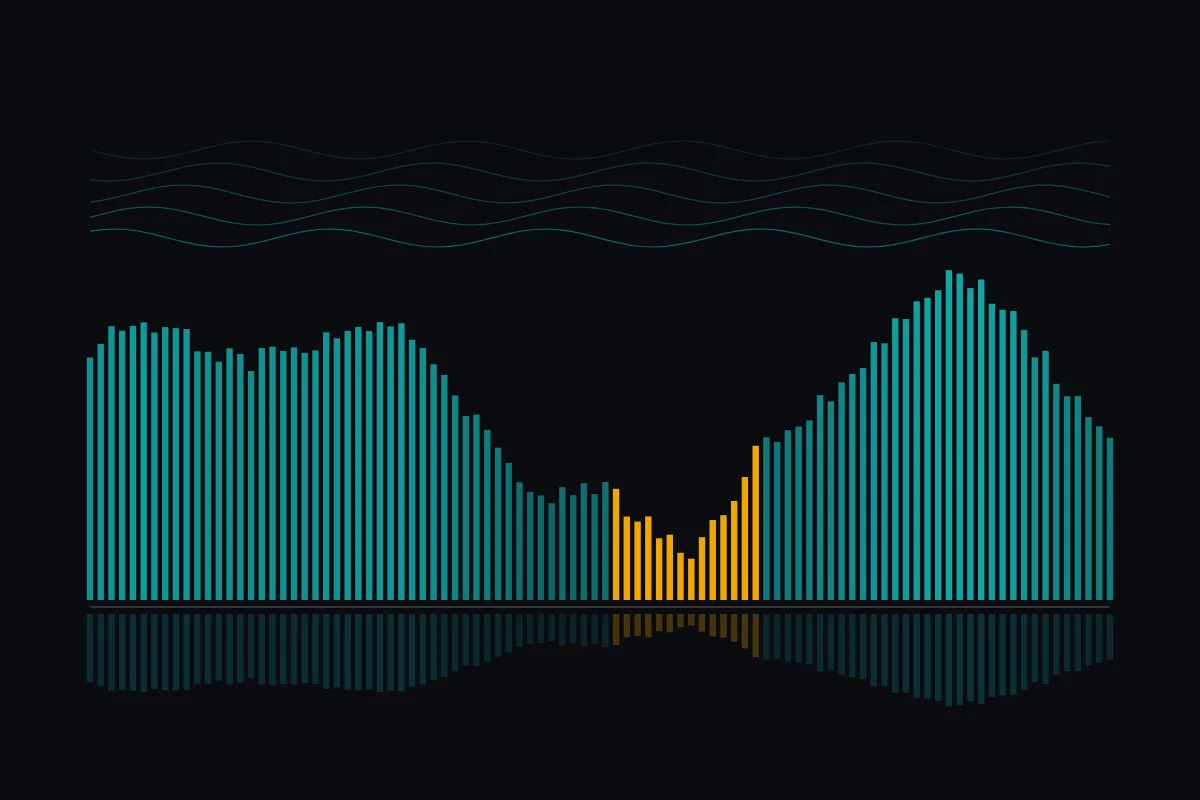
For a quarter century, the IEEE 802.11 family has described how radios should talk.
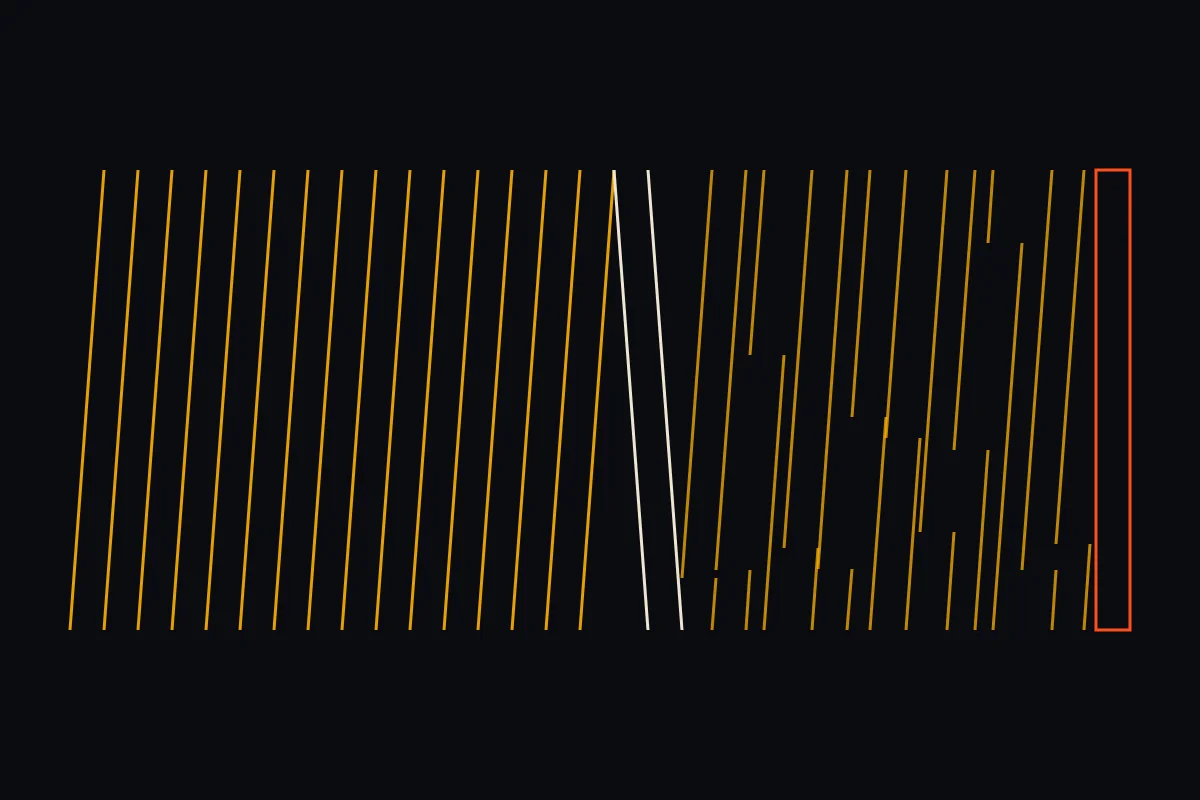
The largest change to the world’s most popular hobbyist LoRa mesh in years arrived with a stumble.
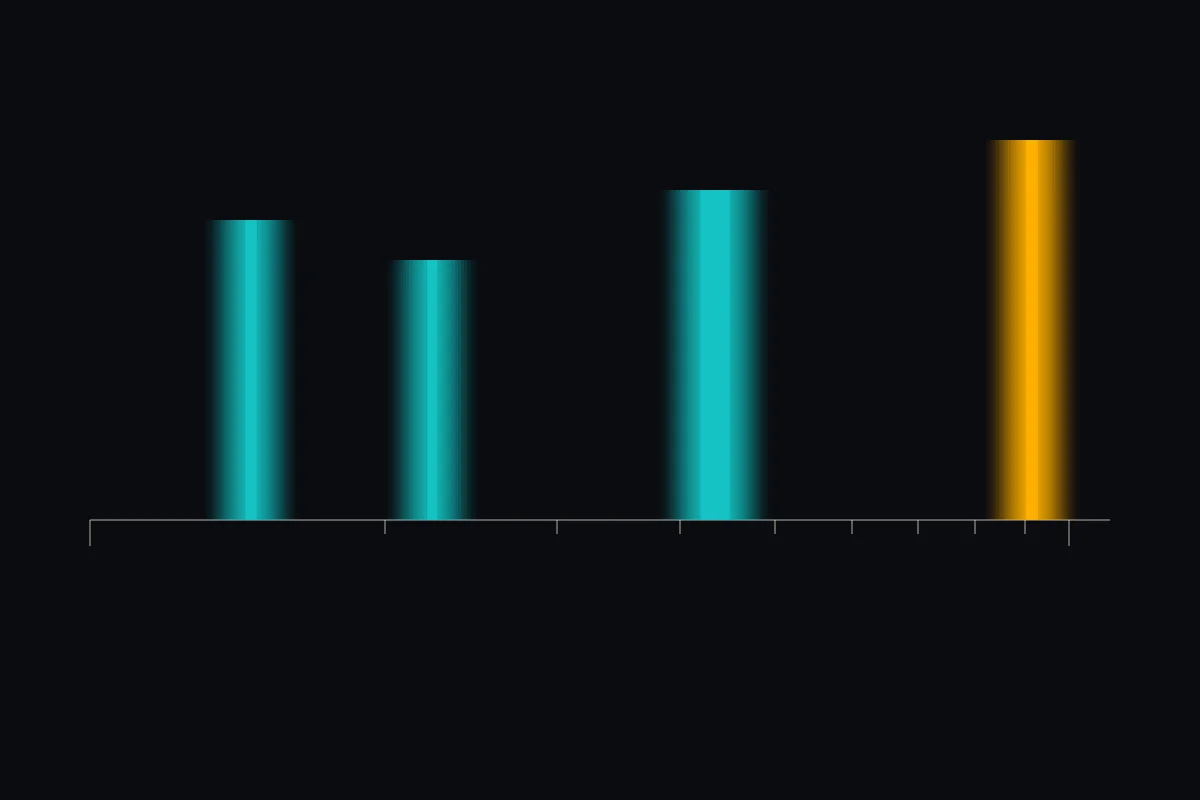
Buried in the Meshtastic 2.8 release notes is a change that could reshape who uses the network: new regions for the amateur 2-meter, 1.25-meter, and 70-centimeter bands.
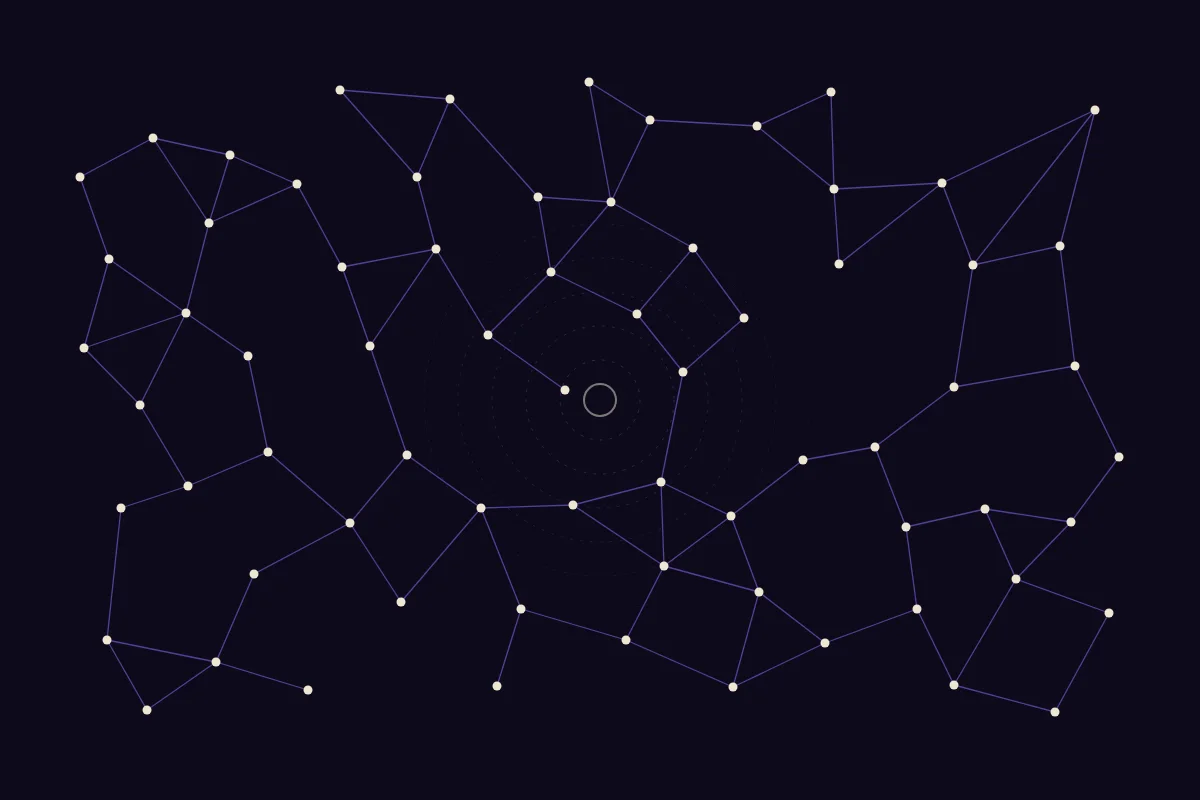
In December 2025, Mark Qvist, who wrote the Reticulum Network Stack largely by himself, announced that he was stepping back from the project’s public life.
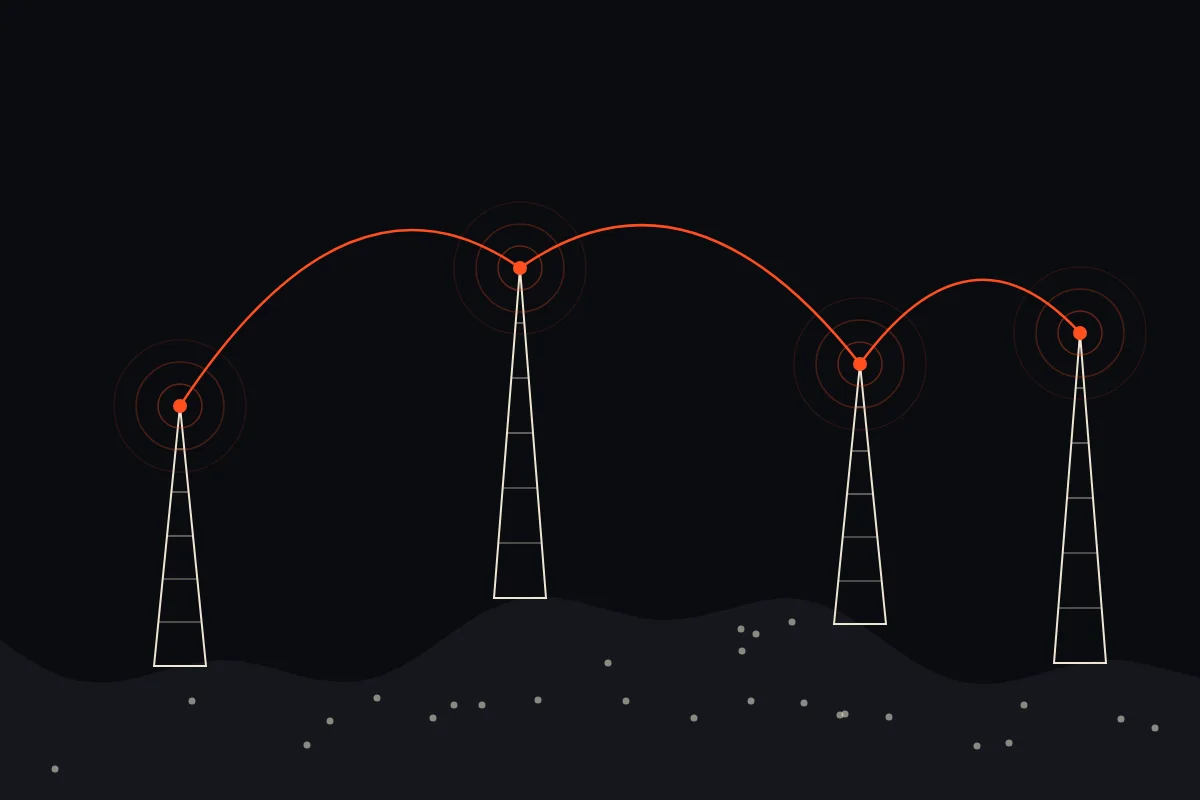
Meshtastic is no longer the only LoRa mesh in town.
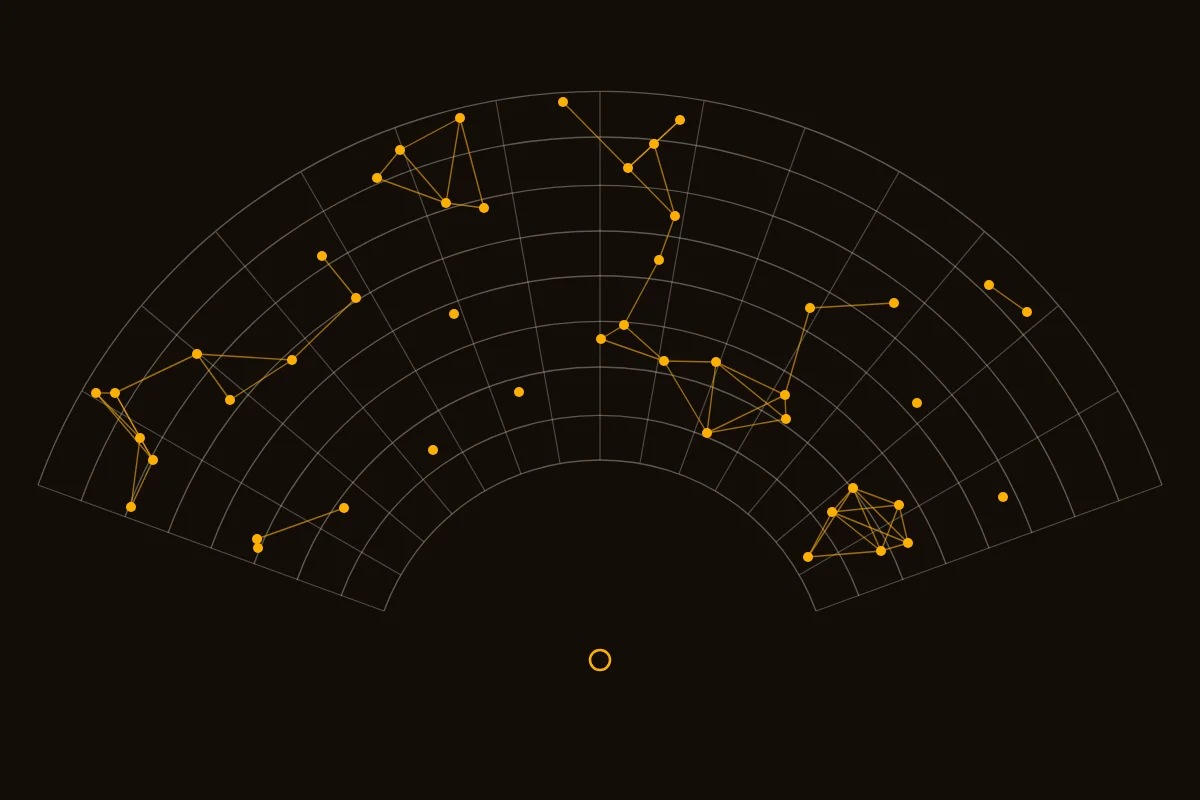
Large events have become proving grounds.
Range is bought with time. Pick a preset, change the radio, and watch one packet play at its real speed.
The bar above plays in real time.
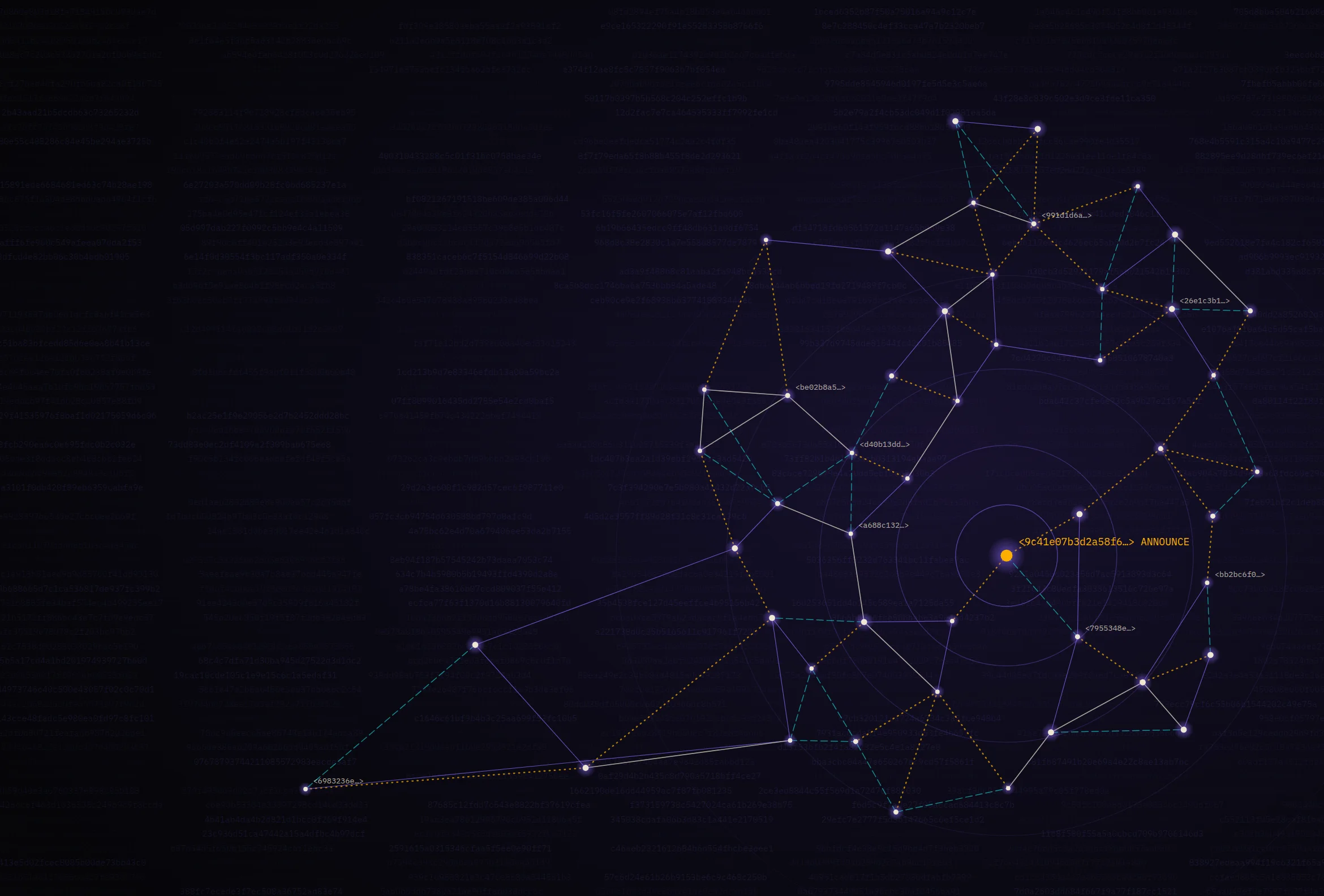
For 50 years, the internet has named machines by where they are. Reticulum names them by who they are — and proves the idea works on links slower than a telegraph. The rest of the industry is arriving at the same place from the other direction.
Read the feature
Four lights in the unlit world: a people’s mesh, a listening room, a lamp on the hill, and a network without addresses.
Light one lamp. Then hand someone the match.Read the letter
It began as one engineer’s fix for dead phones in the mountains. Six years later, Meshtastic is a planet-wide experiment in a network that nobody owns — and nobody can switch off.
Picture the problem the way the project’s founder has described it. You are in the mountains with friends. The group splits up. You pull out a phone that can stream video from the other side of the planet, and it cannot deliver three words to someone two ridges away, because the nearest cell tower is on the wrong side of the rock.
The sky above you is full of radio. None of it is yours.
In early 2020, a veteran embedded-software engineer named Kevin Hester decided to fix that. He did not set out to build a movement. He wanted to text his friends while skiing and hiking, without a carrier, without a subscription, and without asking anyone’s permission. Like many good inventions, it began as an itch that a particular person was unusually equipped to scratch.
Hester, who publishes his code under the handle geeksville, knew that a new class of radio had quietly become cheap. Hobbyist boards such as LilyGO’s T‑Beam put three things on a circuit board the size of a playing card: an ESP32 microcontroller with Bluetooth, a GPS receiver, and a LoRa transceiver, a radio designed not for speed but for reach. They cost about as much as a dinner out. What they lacked was software that would let ordinary people use them as a messaging network.
So he wrote it, and he gave it away. The firmware paired the radio with a phone over Bluetooth, so that the phone supplied the keyboard and screen, while the little board supplied the long-range link. He called it Meshtastic, and he put it on GitHub under an open-source license. The phrasing on the project’s documentation today still carries that original ambition: Meshtastic “enables you to use inexpensive LoRa radios as a long range off-grid communication platform in areas without existing or reliable communications infrastructure.”
What happened next is the part of the story that is less about a lone inventor and more about a crowd. Contributors arrived to port the firmware to other boards, to write the Android and iOS apps, to build a Python interface and web client, and to argue, at great length and in public, about routing. Hardware makers noticed. RAKwireless, Heltec, LilyGO, and Seeed Studio began designing devices with Meshtastic in mind and selling them preflashed. A side project became an ecosystem, and an ecosystem became, in some cities, a piece of infrastructure.
To understand why a US $30 board can do what a US $1,000 phone cannot, you have to understand LoRa, and to understand LoRa you have to go to Grenoble.
There, in 2009, a small French startup called Cycleo began developing a modulation scheme for long-range, low-power links. Its founders — Nicolas Sornin, Olivier Seller, and François Sforza — built on an old idea from radar: the chirp, a tone whose frequency sweeps steadily from the bottom of a channel to the top. In 2012 the American chipmaker Semtech acquired Cycleo, and the technology became LoRa, short for “long range.”
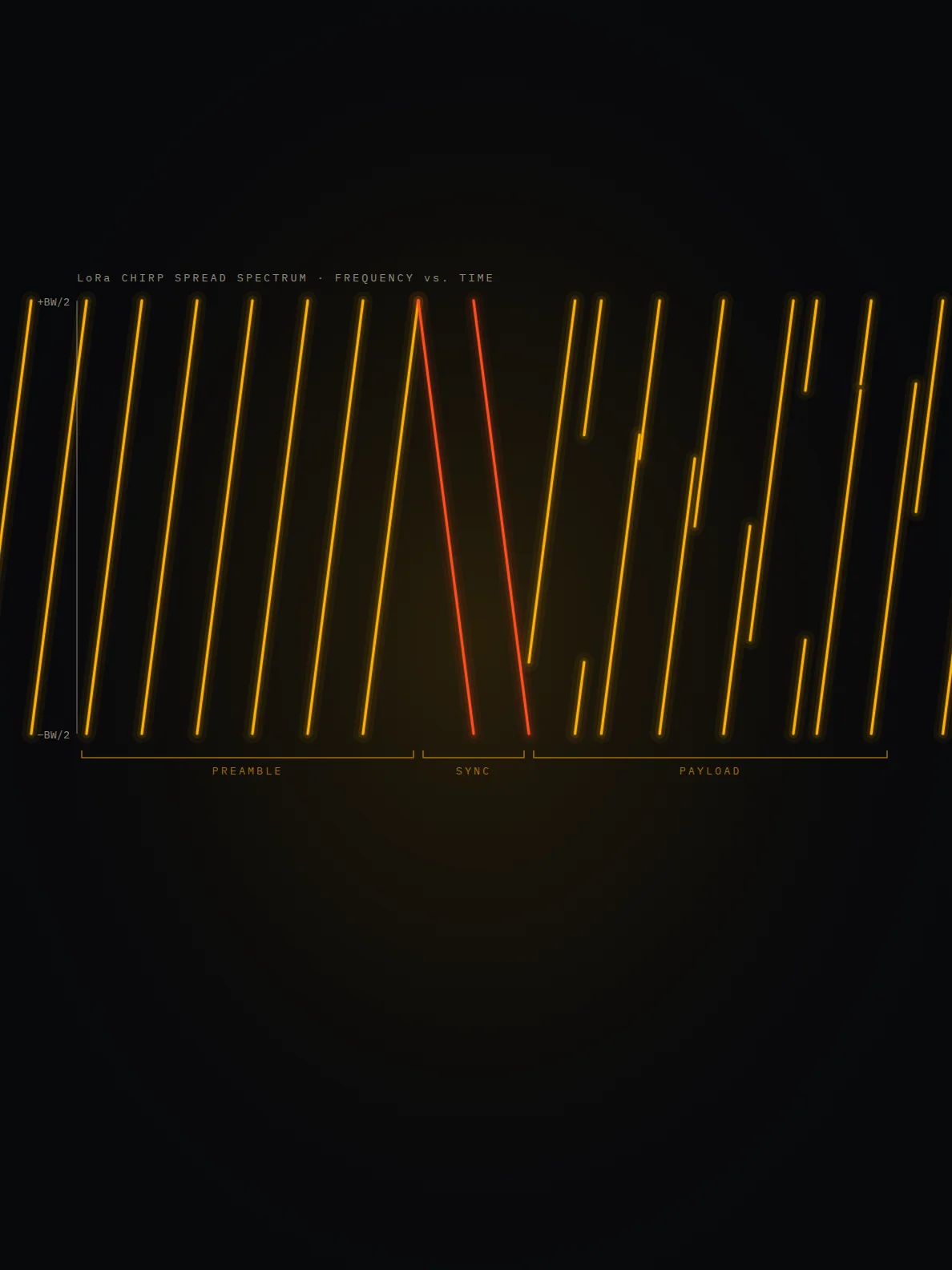
A chirp is an extravagant way to send a bit. LoRa encodes information in where, within the sweep, each chirp begins; a receiver that knows the shape of the sweep can multiply the incoming signal by a mirror-image chirp and collapse all that spread-out energy back into a single spike. The payoff is processing gain. At its slowest settings, a LoRa receiver can decode a signal that sits 20 decibels below the noise floor — a signal one-hundredth as strong as the hiss around it. A good Semtech SX1262 radio, the chip inside most modern Meshtastic hardware, can hear signals weaker than −130 dBm.
The price of that sensitivity is time. The key knob is the spreading factor, or SF, which ranges from 7 to 12. Each step up doubles the length of every chirp, buys roughly 2.5 dB of sensitivity, and halves the data rate. Meshtastic’s classic default, a preset called Long Fast, uses SF11 across 250 kilohertz of bandwidth, for a raw rate of about 1.07 kilobits per second. By our calculation using Semtech’s published formula, a short 32-byte packet spends almost half a second on the air.
That is the essential bargain of the technology, and of this issue. You can have range, or you can have speed. LoRa chooses range, and then it lets a crowd of radios make up for the speed.
A conventional network has a hierarchy. Your phone talks to a tower; the tower talks to a switching center; the switching center talks to the internet. Remove the tower, and everything below it goes dark.
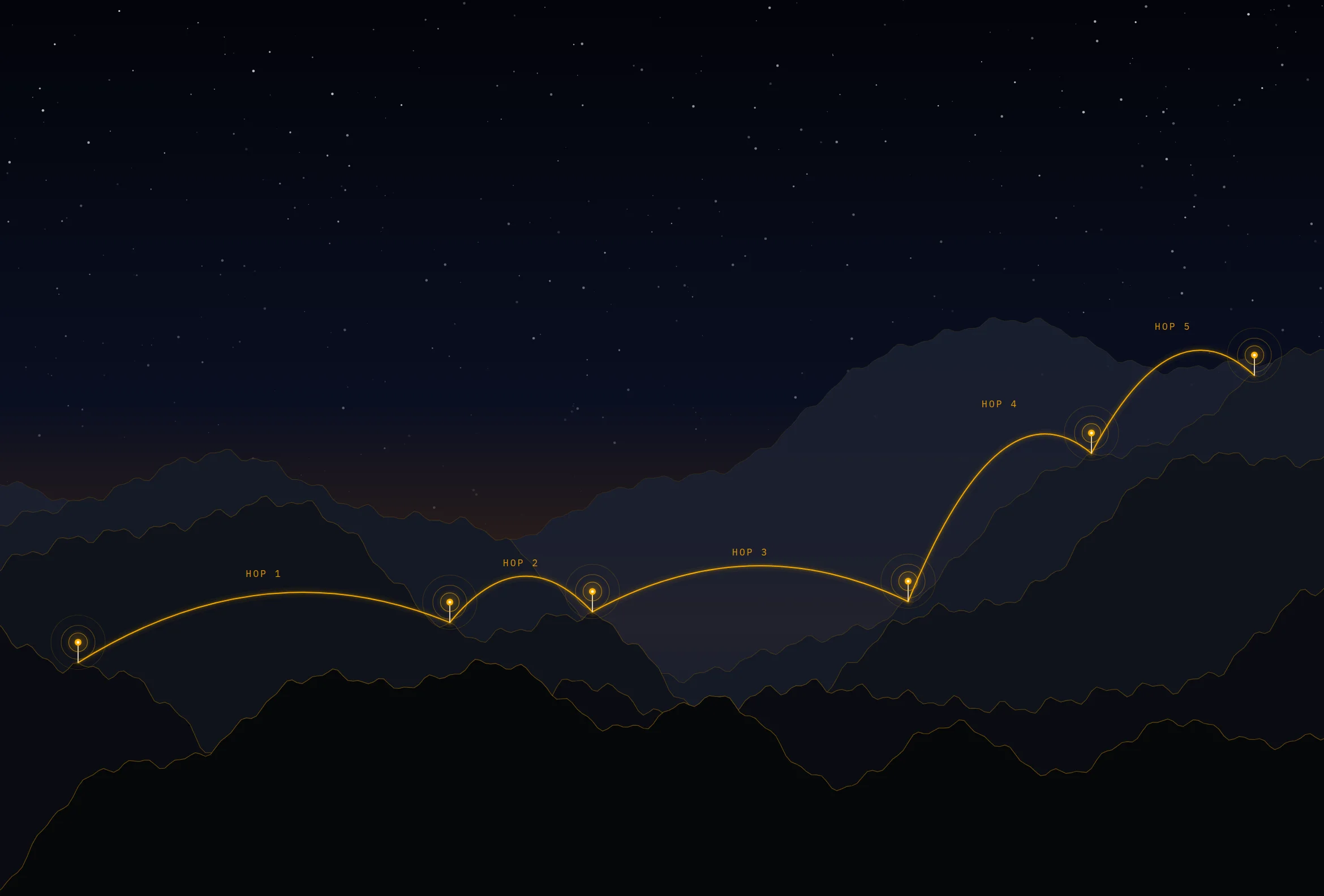
A mesh has no tower. Every Meshtastic radio is both a user and a relay. When a node hears a packet it has not seen before, it may rebroadcast it, decrementing a hop counter so that the message does not echo forever. The default hop limit is three; the maximum is seven. Messages spread outward like a rumor in a village, from summit to summit and rooftop to rooftop, until they either arrive or run out of hops.
The naive version of this scheme, in which every node repeats everything immediately, collapses quickly. Early versions of the firmware worked roughly that way, and dense clusters of radios would drown each other out. The fix, which the project calls managed flooding, is a small piece of cleverness worth admiring. Before rebroadcasting, each node waits for a short delay that depends on how strong the original signal was. Radios that heard the packet faintly — and are therefore probably far from the sender, at the frontier of the message’s reach — go first. Radios close to the sender, whose rebroadcast would add little new coverage, wait longer, and if they hear someone else repeat the packet in the meantime, they stay quiet.
The result is a network that routes without a routing table. No node knows the shape of the whole mesh. Each makes a local decision with local information, and something like intelligence emerges from the aggregate. Engineers of an older generation would recognize the spirit, if not the details.
“You can have range, or you can have speed. LoRa chooses range — and then it lets a crowd of radios make up for the speed.”
Not every radio has to be equal. A node can be configured in different roles: a client, which repeats packets when it helps; a client mute, which only listens and talks, saving airtime in a crowd; and a router, meant for a well-placed, always-on site on a hilltop or tower, which is given priority in the rebroadcast contest. In practice, a healthy mesh looks like a few routers on high ground, which carry the backbone, and many handheld clients, which come and go.
A network without a center has no one to enforce privacy, so privacy has to be built into the packets themselves. Meshtastic organizes traffic into channels, each protected by a shared key used with the AES cipher. Anyone with the key can read the channel; everyone else hears noise.
There is a subtlety here that newcomers often miss. The default public channel uses a key that is, by design, widely known. It is encrypted in the way that a postcard written in French is encrypted: technically, but not against anyone who cares to look. Private groups create their own channels with their own randomly generated keys, typically shared by scanning a QR code.
Direct messages got stronger protection in 2024, when version 2.5 introduced public-key cryptography, so that a message to one person can be read only by that person’s radio. And this autumn’s 2.8 release goes further, with nodes signing their broadcasts using an identity key, so that receivers can tell whether a packet really came from the node it claims to be from. In a network made of strangers’ radios, authentication is not a luxury. It is the difference between a mesh and a rumor mill.
Encryption also brushes up against law. In many countries, licensed amateur radio operators are forbidden to obscure the meaning of their transmissions. Meshtastic accommodates this with a licensed-operator mode that turns encryption off, so that hams can operate under the rules of their license, in exchange for transmitting in the clear.
Somewhere along the way, Meshtastic stopped being a hiking gadget. City-scale meshes appeared, built by volunteers who put routers on balconies, office roofs, and radio towers. In Calgary, the YYCMesh community reports more than 300 nodes on its public channel. Neighborhood preparedness groups adopted the radios as a backstop for when storms or wildfires knock out power to cell sites. Festival-goers took them to places where cellular capacity collapses under the weight of a crowd.
There is a reason this pattern recurs. Cellular networks are engineered for the average day, and disasters are, by definition, not average days. Cell sites need grid power or generators; backhaul needs fiber or microwave links; and the whole system is designed around a central core. A mesh of battery-powered radios has none of those dependencies. Its weakness — that it is slow and small — is the flip side of its strength: it is cheap enough that thousands of people can each own a piece of it.
Range is where the stories get good. The project keeps a list of record links; at the time of writing, its documentation lists a 331-kilometer connection. Such records rely on extraordinary conditions — mountaintop to mountaintop, with nothing but air between — and say less about everyday performance than about physics. On the ground, among buildings and trees, a handheld may reach only a few kilometers. Height matters more than power. A modest radio on a tall hill will outperform a powerful radio in a basement every time, which is why our build guide, A Lamp on the Hill, is mostly about getting a node up high and keeping it alive.
Every radio in a mesh must use the same preset, so a community’s choice is a collective bargain between range and capacity. Meshtastic’s general-purpose presets, from the project’s radio-settings documentation:
| Preset | Spreading factor | Bandwidth | Coding rate | Data rate | Best for |
|---|---|---|---|---|---|
| Short Turbo | 7 | 500 kHz | 4/5 | 21.88 kbps | Dense events, short hops |
| Short Fast | 7 | 250 kHz | 4/5 | 10.94 kbps | Urban meshes with many routers |
| Short Slow | 8 | 250 kHz | 4/5 | 6.25 kbps | |
| Medium Turbo | 9 | 500 kHz | 4/5 | 7.03 kbps | |
| Medium Fast | 9 | 250 kHz | 4/5 | 3.52 kbps | Growing city meshes |
| Medium Slow | 10 | 250 kHz | 4/5 | 1.95 kbps | |
| Long Turbo | 11 | 500 kHz | 4/8 | 1.34 kbps | New U.S. default as of 2.8 |
| Long Fast | 11 | 250 kHz | 4/5 | 1.07 kbps | Classic default; rural reach |
| Long Moderate | 11 | 125 kHz | 4/8 | 0.34 kbps | Sparse, long links |
Compare any of these settings in our packet cost calculator.
Success has a cost, and on a radio network the cost is airtime. Every Meshtastic node in a region shares the same slice of spectrum. When one radio transmits, everyone within earshot must wait, and if two transmit at once, both packets may be lost. A busy mesh is a crowded room in which everyone has agreed to speak slowly.
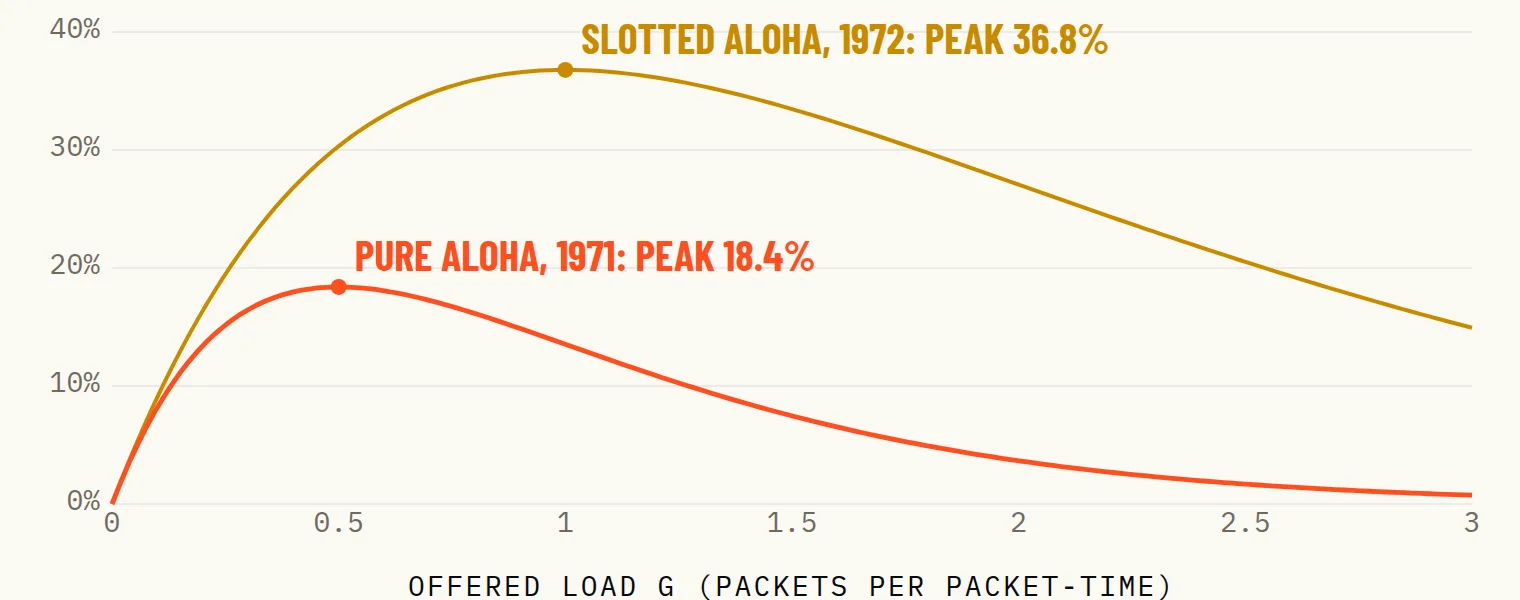
This is an old problem. In 1971, engineers at the University of Hawaii confronted it with ALOHAnet, a radio network linking the islands’ campuses, and their mathematics showed that a channel in which anyone may transmit whenever they like can never carry more than about 18 percent of its theoretical capacity before collisions overwhelm it. (We tell that story in Lamplight.) Meshtastic’s designers live with the same equations, half a century later.
Much of the project’s recent engineering is therefore about restraint. The firmware tracks channel utilization and throttles its own chatter. Version 2.8 sizes each radio’s node database to its memory, filters duplicate packets, limits rates, and adjusts hop limits when the channel is congested. In the United States, new nodes now default to the faster Long Turbo preset, which doubles the bandwidth to raise the raw rate from 1.07 to 1.34 kilobits per second, at some cost in sensitivity. Whether the trade is worth it depends on where you live: a rural network of three radios needs every decibel; a city mesh of hundreds needs every millisecond.
Others have concluded that flooding itself is the problem. MeshCore, a rival project begun in 2024, reserves retransmission for dedicated repeaters, and lets handhelds stay silent. The debate between the two camps is the healthiest thing in the hobby. It is how open systems evolve: not by decree from a standards body, but by competing implementations, each running on the same cheap hardware, each judged by what works on an actual hill.
It would be easy to overstate what Meshtastic is. It is not a replacement for the cellular network. It carries text and coordinates, not video. It cannot guarantee delivery, and its encryption is only as good as the habits of the people who share the keys. A single misconfigured router can degrade a city’s mesh. These are real limits, and anyone who tells you otherwise is selling radios.
But it would be easier still to understate it. For most of the history of telecommunication, building a network required a franchise, a license, a fortune, or all three. Meshtastic shows that a meaningful one can be built from the bottom up, by people who each contribute a radio and a few watts of solar power, coordinated by nothing more than shared software and a shared frequency.
Kevin Hester wanted to find his friends on a mountain. What he and the thousands who followed him actually built is a demonstration — running, today, on hilltops and balconies around the world — that communication does not have to be something that is done to us by institutions. It can be something we do for one another.
Meshtastic is no longer the only LoRa mesh in town.
Build a weatherproof, solar-powered LoRa relay from off-the-shelf parts in one afternoon — and give your neighborhood mesh the one thing money can’t buy: altitude.
ALOHAnet linked Hawaii’s island campuses by radio with one rule: say it, and if you collide, wait and try again.
Your router already fills your home with a radar signal. A new IEEE standard teaches it to notice you — your steps, your falls, even your breathing. The physics is beautiful. The consequences are not yet understood.
Every Wi‑Fi signal that leaves your router bounces off the walls, the bookshelf, the dog, and you. For a quarter century, engineers treated those echoes as a nuisance, something to be measured and cancelled so that the data could get through.
Then a few of them realized that the nuisance was a picture.
The idea that radio could see is almost as old as radio. In February 1935, a team led by the Scottish engineer Robert Watson-Watt parked a receiver in a field near Daventry, England, and watched the signal from a BBC shortwave transmitter flicker as a Royal Air Force bomber flew through the beam. The transmitter had been built for something else entirely. The aircraft was simply in the way.
Ninety years later, the most widely deployed transmitters in history are the billions of Wi‑Fi access points in our homes and offices, filling the rooms we live in with microwaves at 2.4, 5, and 6 gigahertz. We, too, are simply in the way. What changed is that engineers learned how to listen to the shadow we cast — and, last year, wrote the listening into a standard.
To understand Wi‑Fi sensing, you need a quantity that every receiver computes thousands of times a second and, until recently, threw away.
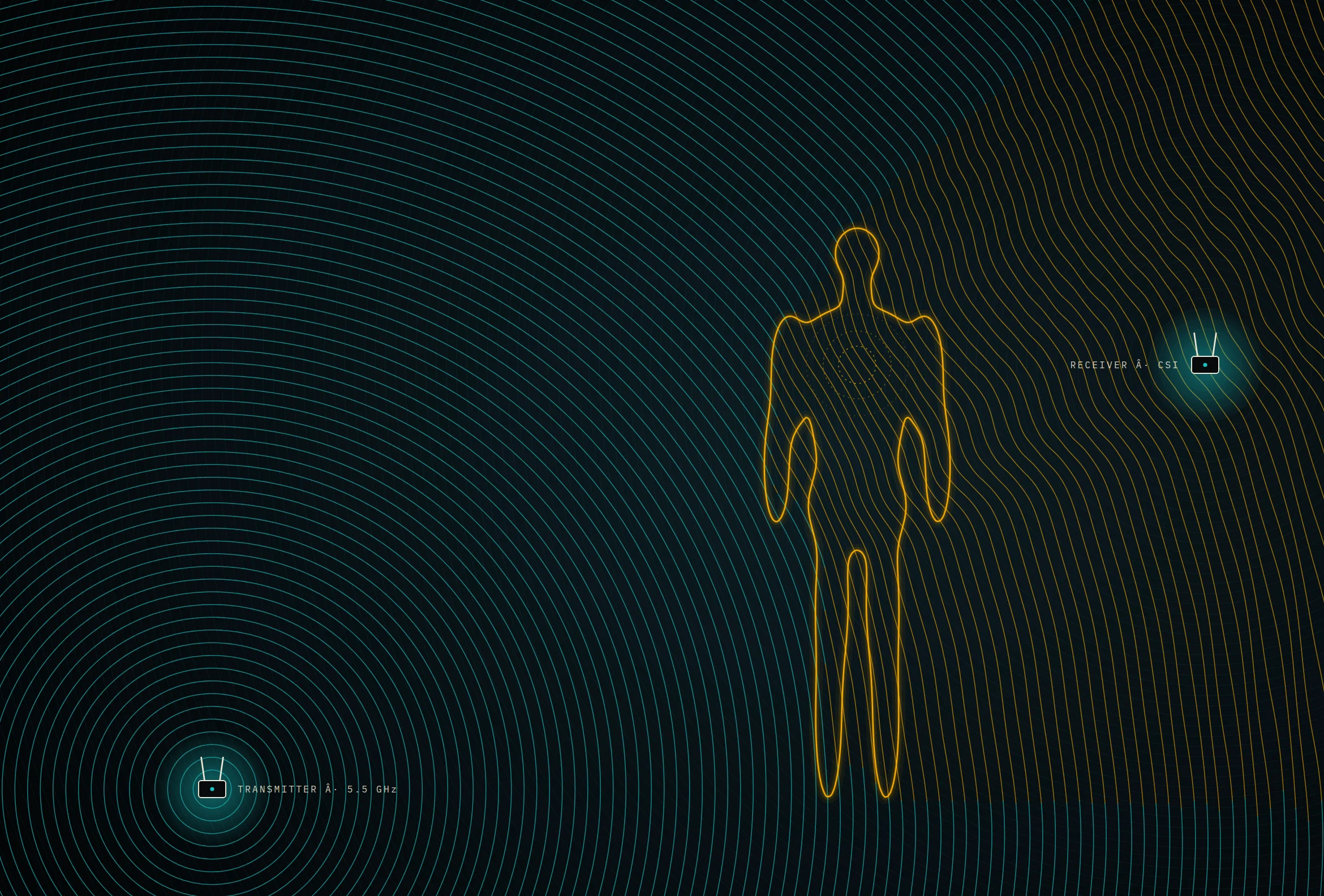
Modern Wi‑Fi uses a scheme called orthogonal frequency-division multiplexing, or OFDM. Instead of sending one fast stream of symbols across a whole channel, it splits the channel into dozens or hundreds of narrow subcarriers, each carrying its own slow stream. On its way from transmitter to receiver, each subcarrier is bent by the room: it arrives along many paths at once — directly, off the ceiling, off the refrigerator — and those copies add up to change its amplitude and phase. To decode anything, the receiver must first estimate that distortion for every subcarrier. The result is a list of complex numbers called the channel state information, or CSI.
CSI is, in effect, a fingerprint of the room’s geometry, seen at dozens of slightly different wavelengths. A static room produces a stable fingerprint. Move a hand, and some of the paths change length; the fingerprint shifts. Breathe, and it shifts rhythmically. Walk, and it churns.
For years that information was locked inside the chips. Then, in 2011, Daniel Halperin and colleagues at the University of Washington, working with Intel engineers, released modified firmware and drivers that coaxed Intel’s 5300 Wi‑Fi card into reporting its CSI for 30 groups of subcarriers. The Linux 802.11n CSI Tool became one of the most used instruments in wireless research.
Others followed: the Nexmon project at the Technical University of Darmstadt extracted CSI from Broadcom chips in smartphones and Raspberry Pis; and Espressif, maker of the ubiquitous ESP32 microcontroller, exposes CSI directly in its software development kit. A hobbyist can now run Wi‑Fi sensing on two boards that cost less than lunch.
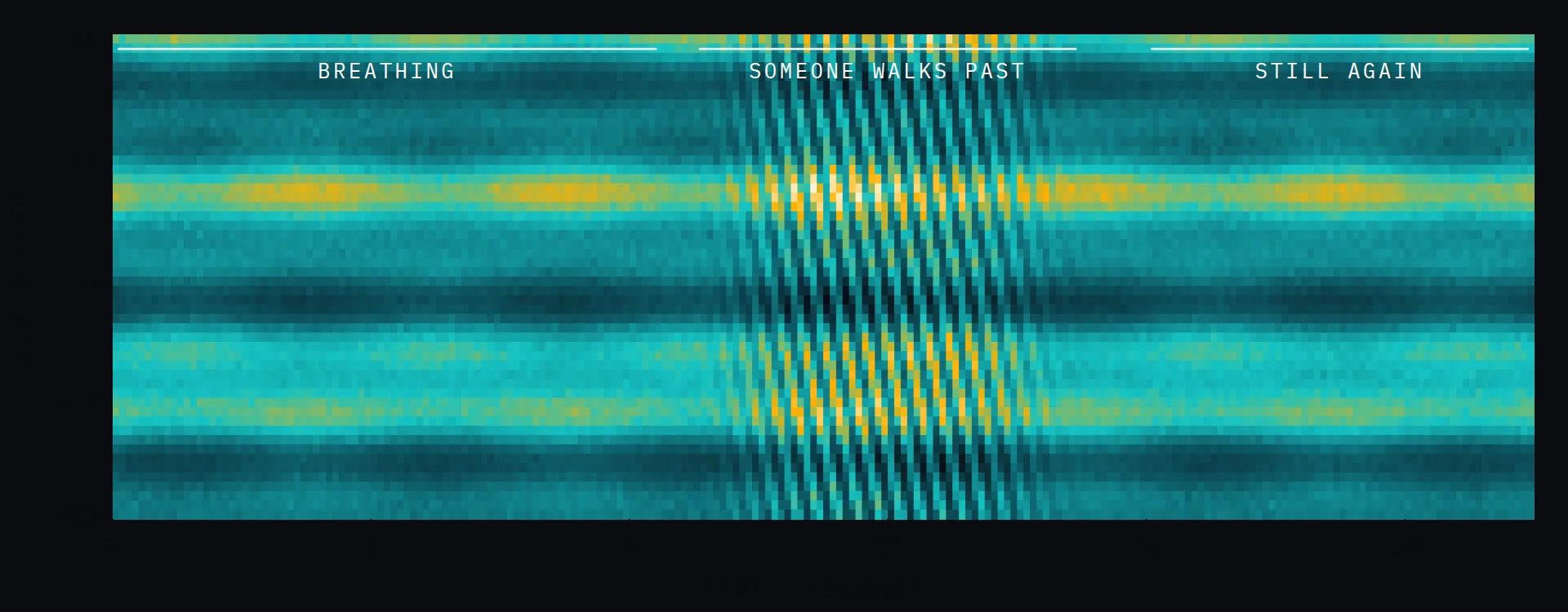
The work that made the public pay attention came from Dina Katabi’s group at MIT. In 2013, Katabi and her student Fadel Adib presented Wi‑Vi, a system that used Wi‑Fi-band signals at 2.4 GHz to detect people moving in a closed room on the other side of a wall. Their trick was a kind of noise cancellation: two antennas transmitted signals that cancelled each other at the wall, suppressing its overwhelming reflection so that faint echoes from moving bodies stood out.
With purpose-built radios, they measured breathing and heart rate from across a room, and in 2018 their RF-Pose system used neural networks, trained on synchronized camera footage, to reconstruct the stick-figure skeletons of people moving behind walls from radio reflections alone. Those systems used dedicated transmitters, not routers, but they proved the information was there in the air.
“You can decline to carry a phone. You cannot decline to have a body.”
A commercial industry, meanwhile, formed around software for the Wi‑Fi chips people already own. Companies such as Origin Wireless and Cognitive Systems license motion-sensing software to equipment makers and broadband providers, some of which now advertise motion detection as a feature of their home gateways. The pitch is appealing: no cameras, no wearables, just the router you already have, noticing that the house is empty and turning down the heat, or that a grandmother who lives alone has not moved from the bathroom floor in ten minutes.
Until last year, all of this was a hack. Sensing piggybacked on whatever packets happened to be flowing — a burst while someone streamed a film, silence at 3 a.m. — and each vendor reached into its chips by its own proprietary route.
IEEE 802.11bf, published in September 2025, makes sensing a native function of Wi‑Fi. It defines roles: a sensing initiator that requests a measurement and a sensing responder that takes part. It defines a measurement setup, in which the devices agree on parameters, followed by regularly scheduled measurement instances, so that an access point can sound the room at a steady rate using null data packets — frames that carry only training symbols: pure radar pulses. It lets an access point trigger several clients at once and standardizes their reports. A client can even ask the access point to sense on its behalf.
It also reaches into the 60-GHz band, where wavelengths shrink to 5 millimeters and antennas form narrow steerable beams, defining directional sensing fine enough, in principle, to distinguish gestures.
Standards turn experiments into markets. Wi‑Fi climbed from 2 megabits per second in 1997 to the multi-gigabit links of Wi‑Fi 7. It is now beginning the same climb with perception.
Every privacy framework we have was built around devices. You can leave your phone at home, cover your laptop camera, decline to wear a fitness tracker. Wi‑Fi sensing is “device-free”: it needs nothing on you at all. You can decline to carry a phone. You cannot decline to have a body. Your neighbor’s router, through a shared wall, could observe you. A guest in a rental cannot easily know whether the hallway access point is counting the people in the bedroom.
The standard specifies how to sense. It largely leaves to products, and to regulators, the questions of what may be sensed, by whom, and who must be told. Should sensing be opt-in for everyone in a home, not just the account holder? Should raw CSI ever leave the device, or only coarse conclusions such as “room occupied”? Should a gateway show a light when it is sensing, as a webcam does?
The good news is that the technology’s most compelling uses — fall detection for the elderly, energy savings, security — can be delivered with conservative designs: processing on the device, minimal retention, explicit consent. The bad news is that nothing in the physics requires anyone to choose them.
Watson-Watt’s receiver in that field at Daventry did not ask the bomber’s permission. It did not have to. Ninety years on, the bomber is us, the transmitter is in the ceiling, and the decision about what the receiver is allowed to conclude is ours to make — if we make it before the products make it for us.
For a quarter century, the IEEE 802.11 family has described how radios should talk.
Buried in the Meshtastic 2.8 release notes is a change that could reshape who uses the network: new regions for the amateur 2-meter, 1.25-meter, and 70-centimeter bands.
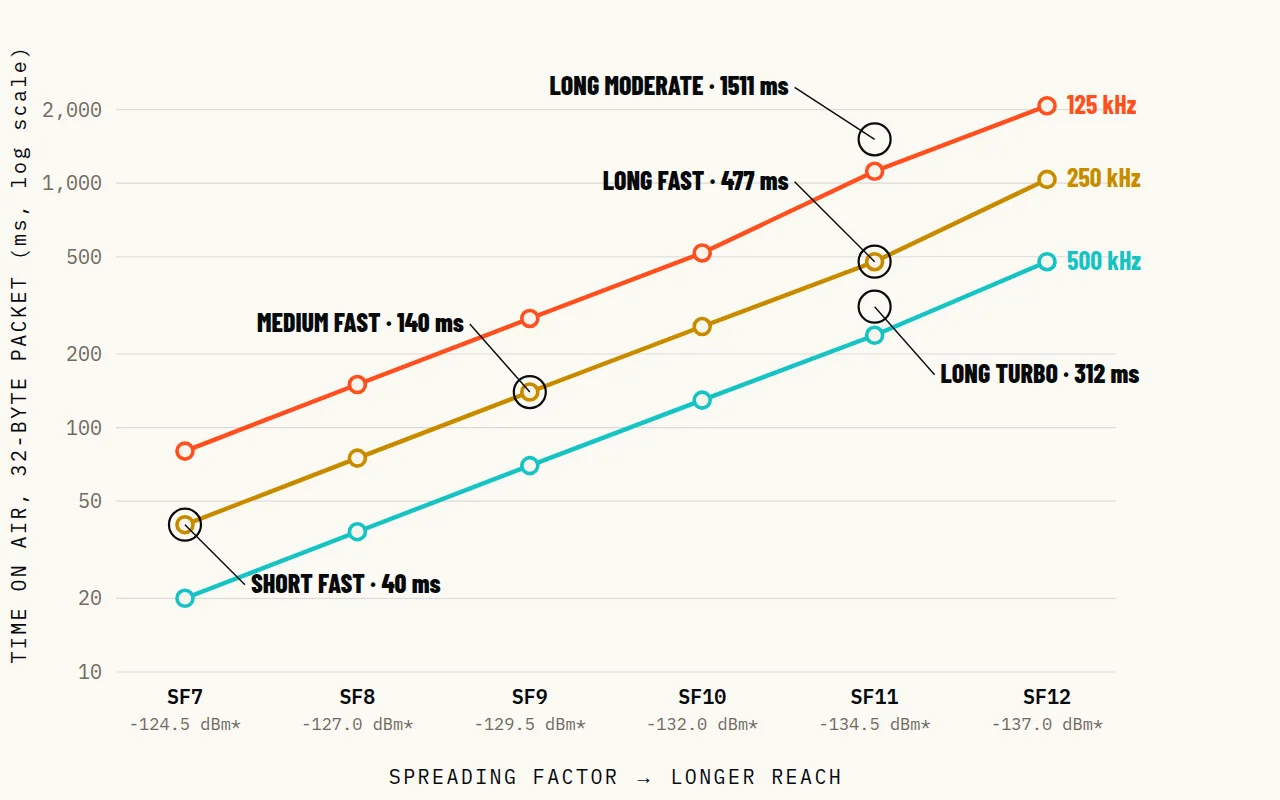
Every gain in reach is paid for in time on the air.
Build a weatherproof, solar-powered LoRa relay from off-the-shelf parts in one afternoon — and give your neighborhood mesh the one thing money can’t buy: altitude.
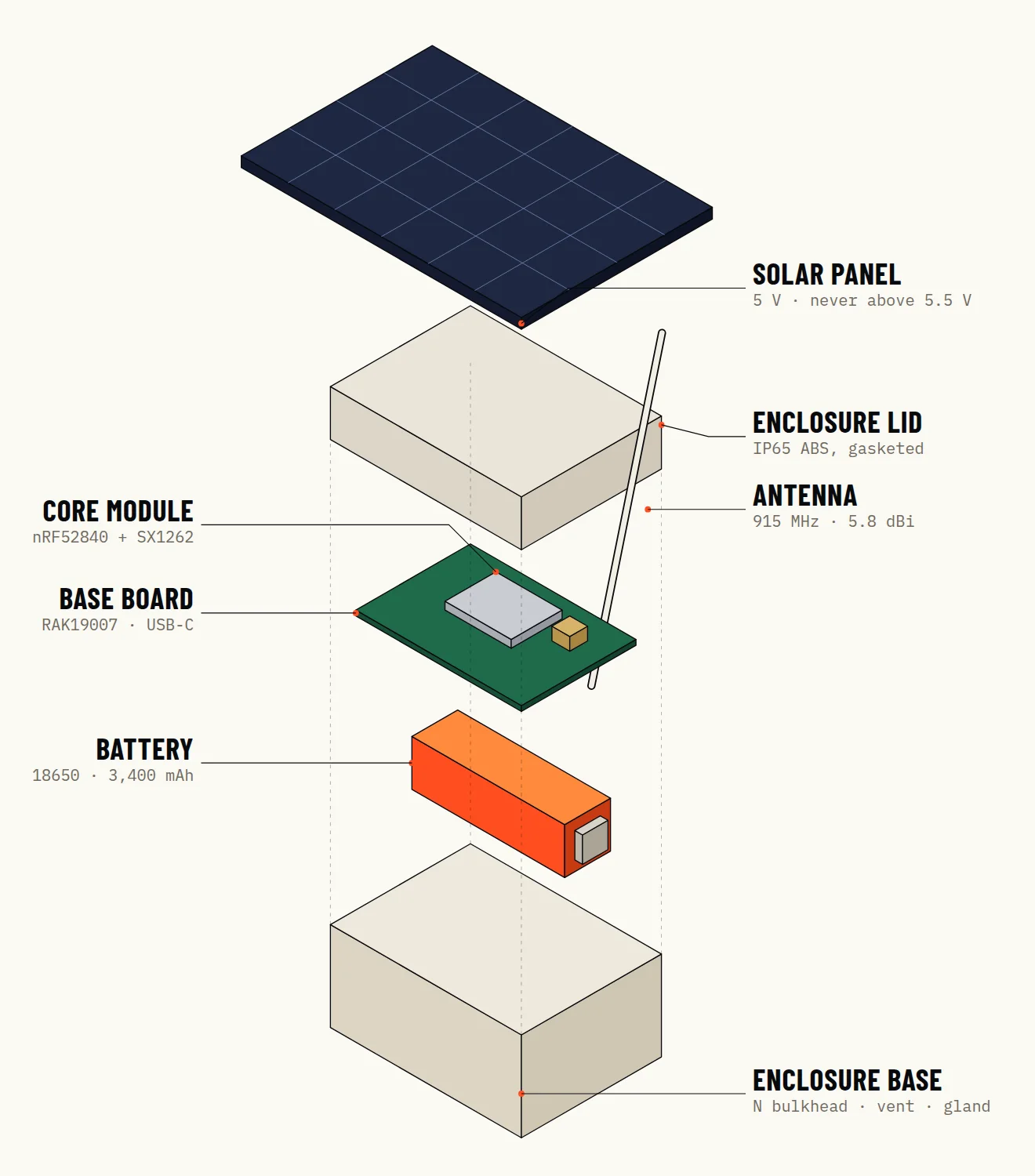
Solar panel → RAK19007 charger → 18650 cell → RAK4631
SX1262 → IPEX pigtail → N-type bulkhead → antenna
Every mesh network has the same secret: a few nodes do most of the work. They are the ones on rooftops, water towers, and hills, the radios whose antennas can see over the clutter that swallows handheld signals at street level. Put one good node up high and a neighborhood mesh can suddenly reach across a valley. This is how to build that node.
Our design priorities were simple. It must run unattended for years, through winter, on sunlight alone. It must be built entirely from parts you can order today. And it must work with both of the big open LoRa mesh systems: Meshtastic, and, as an RNode, Reticulum.
The most important decision is the microcontroller, and it is a decision about power, not performance. The popular boards based on Espressif’s ESP32 are capable and cheap, but their Wi‑Fi-and-Bluetooth system-on-chip draws several times more current than a node that only listens needs. On solar power, every milliamp matters.
We used RAKwireless’s WisBlock system: a RAK4631 core module, which pairs Nordic Semiconductor’s nRF52840 microcontroller with Semtech’s SX1262 LoRa transceiver, plugged into a RAK19007 base board. The nRF52840 sips power when idle, the SX1262 can transmit at up to +22 dBm, and the base board adds a USB‑C port, a lithium-ion charger, and a dedicated solar input. Meshtastic and RNode firmware both support it, and the pair is sold as a starter kit.
| # | Part | What it does | ≈ US $ |
|---|---|---|---|
| 1 | RAK WisBlock Meshtastic starter kit RAK4631 core (nRF52840 + SX1262) on a RAK19007 base board | The radio and microcontroller. The base board adds USB‑C, a Li‑ion charger, and a solar input. | 25 |
| 2 | 18650 Li‑ion cell, 3,400 mAh, protected, with holder and JST‑PH 2.0 lead | Night-time and bad-weather reserve. | 10 |
| 3 | Solar panel, 5 V, 2 W, with JST‑ZH 1.5‑mm lead | Charging. Must never exceed 5.5 V at the board; see step 2. | 12 |
| 4 | Fiberglass omni antenna, 902–928 MHz (868 MHz in Europe), ≈ 5.8 dBi, N‑female | Most of your range comes from here and from height. | 25 |
| 5 | N‑female bulkhead to IPEX/U.FL pigtail, 15 cm | Brings RF through the enclosure wall. | 6 |
| 6 | IP65 ABS enclosure, about 115 × 90 × 55 mm | Keeps rain out. Avoid metal boxes. | 9 |
| 7 | PG7 cable gland, adhesive vent, desiccant | Seals the panel lead; lets the box breathe without drawing in water. | 6 |
| 8 | Stainless pole clamps or U‑bolts | Mounting to a mast or railing. | 8 |
| Total | ≈ 101 |
This is the step that destroys boards. According to RAKwireless’s datasheet, the RAK19007’s solar connector has an absolute maximum of 5.5 volts. A “5-volt” panel is a nominal rating; many generic panels idle above 6 volts in full, cold sunlight, when no current is being drawn. Buy a panel specified for WisBlock, or measure your panel’s open-circuit voltage in bright sun before connecting it, or add a small regulator. The battery input, separately, must not exceed 4.3 V; a standard 3.7-V lithium-ion cell is correct. Never use non-rechargeable cells.
Before anything goes in a box, bring the node up on your bench. Connect the antenna first — transmitting into no antenna can damage the radio — then plug in USB‑C. For Meshtastic, open the web flasher in a Chrome-based browser, select the RAK4631, and install the latest stable release. Pair the phone app over Bluetooth.
Now configure it as infrastructure. Set your region first; the radio will not transmit until you do. Leave the modem preset on whatever your local mesh uses, because nodes on different presets cannot hear each other. Choose the router role only if this node will genuinely have a commanding location and steady power; otherwise use the ordinary client role. Enter a fixed position so the node does not need GPS, and give it a long name that tells neighbors where it is. If you would rather join a Reticulum network, flash the RNode firmware instead; the same hardware becomes a LoRa interface for any Reticulum host.
| Region | Band | Key limits (summary) |
|---|---|---|
| United States | 902–928 MHz | FCC Part 15, §15.247: up to 1 W conducted with antennas up to 6 dBi; minimum 500-kHz bandwidth for digitally modulated systems, which is why Meshtastic 2.8 defaults new U.S. nodes to Long Turbo. |
| European Union | 868 MHz (Meshtastic uses 869.4–869.65 MHz) | Short-range-device rules: 500 mW ERP and a 10 % duty cycle in this sub-band; much lower limits elsewhere in the band. |
| Licensed amateurs | 2 m, 1.25 m, 70 cm and 33 cm | Operate under your license: higher power may be allowed, but encryption that obscures meaning generally is not. |
Rules vary by country and change over time. Always set the correct region in firmware and check your national regulator.
Drill three holes with a step bit: one for the N-type bulkhead, which carries RF through the wall; one for the PG7 cable gland, through which the solar lead enters; and one for an adhesive breather vent. Put the bulkhead and gland on the bottom or the lower side of the box so that water drips away from them, never into them. Leave a drip loop in the solar cable outside the box.
Inside, mount the base board on standoffs or double-sided foam tape, connect the IPEX pigtail from the bulkhead to the RAK4631’s LoRa antenna connector, and secure the battery holder so it cannot shift. Add a desiccant pack.
Everything up to now was preparation for this step. Range in LoRa networks is governed far more by geometry than by watts. On smooth Earth, the distance at which two antennas can see each other is roughly
d ≈ 4.12 (√h1 + √h2) km
with heights in meters. A node on a 10-meter mast and a handheld at 2 m have a radio horizon of about 19 km. Put the same node on a ridge 100 m above the valley and that figure grows to about 47 km. No amplifier can buy you that.
Mount the antenna vertically, matching the polarization of handheld radios, and as far as practical from metal railings or gutters. Keep the box below the antenna, in shade if you can: lithium cells age fastest when hot, and should not be charged below freezing; the more sophisticated chargers suspend charging in the cold, so check yours.
Gain is not free energy; it is a reshaping of the pattern. An omnidirectional antenna radiates a doughnut, and a higher-gain omni flattens that doughnut toward the horizon. On a hilltop that is what you want: the energy goes out toward distant nodes rather than up into the sky. But a very flat pattern can overshoot a village in the valley directly below, so on a modest rooftop a 3-dBi antenna sometimes serves the neighborhood better than an 8-dBi one.
Whatever you choose, keep the cable short. At 915 MHz, thin coax eats signal: by manufacturers’ published figures, RG-58 loses roughly 5 dB every 10 meters, while thick LMR-400 loses about 1.3 dB. Every 6 dB you lose halves your free-space range. That is the reason this design puts the whole radio in a box at the foot of the antenna instead of running a long cable down to a warm room. Wrap outdoor connectors in self-amalgamating tape; water creeping into an N-type connector is the most common way a good node slowly goes deaf.
“A good relay is invisible. It does nothing for months except listen.”
Do not trust a node you have not tested. From a handheld, send a traceroute through the new router and confirm that it appears as a hop. Note the signal-to-noise ratio of its packets: LoRa decodes well below zero dB, but a link that sits right at the edge of the spreading factor’s limit will drop out when it rains or when leaves come out in spring. Walk or drive the area and watch which messages arrive.
Then leave it alone. A good relay is invisible. It does nothing for months except listen, and when the power goes out across the valley and the cell towers fall silent one by one, it keeps listening, and repeating, a small lamp on the hill that somebody decided to light.
| Symptom | Likely cause | Fix |
|---|---|---|
| Node never transmits | Region not set | Set the LoRa region; the radio stays silent until you do. |
| Neighbors can’t hear it | Preset mismatch | Match your local mesh’s modem preset exactly. |
| Battery drains in days | Bluetooth, GPS, or screen left on; panel too small | Disable what you don’t need; fit a 2-W panel facing the equator. |
| Board dead after first sunny day | Panel exceeded 5.5 V | Measure open-circuit voltage; regulate or replace the panel. |
| Range far below expectations | Antenna low, near metal, or not vertical; bad pigtail | Raise it, move it, check every connector. |
| Condensation inside | No vent; gland facing up | Add a breather vent and desiccant; mount entries downward. |
It began as one engineer’s fix for dead phones in the mountains.
Buried in the Meshtastic 2.8 release notes is a change that could reshape who uses the network: new regions for the amateur 2-meter, 1.25-meter, and 70-centimeter bands.
Large events have become proving grounds.
For 50 years, the internet has named machines by where they are. Reticulum names them by who they are — and proves the idea works on links slower than a telegraph. The rest of the industry is arriving at the same place from the other direction.
An IP address is a statement about geography. It tells the network where to deliver a packet, the way a street address tells a mail carrier which door to knock on. It says nothing about who lives there.
Almost every security problem on the internet lives in that gap.
The gap was not an accident; it was a choice so natural that almost no one noticed it being made. When Vinton Cerf and Robert Kahn sketched the protocols that became TCP/IP in the 1970s, they were trying to connect a few research networks owned by institutions that trusted one another. Naming a computer by its point of attachment made routing tractable. Who was on the other end was a question for the people, not the packets.
We live with the consequences. Because an address describes location, it changes when you move, so a phone hopping from Wi‑Fi to cellular gets a new identity every few minutes. Because addresses ran short, network address translation hid billions of devices behind shared ones. Because nothing in the address proves who sent a packet, we bolted on layer after layer of identity — TLS certificates, VPNs, login portals, firewalls — each patching a hole the architecture left open. And because every packet carries its sender’s address in the clear, anyone on the path can see who talks to whom.
Mark Qvist decided to start over.
Qvist, a programmer who worked on Reticulum largely alone, published the project on GitHub in 2018. Its website opens with a manifesto: “Reticulum is the cryptography-based networking stack for building local and wide-area networks.” In Reticulum, cryptography is not a layer. It is the ground floor.
Every participant begins with an identity: a pair of elliptic-curve key pairs, one for encryption, using X25519, and one for signatures, using Ed25519. Applications create destinations, and a destination’s address is simply a hash: the SHA-256 digest of its public identity and its application name, truncated to 16 bytes. There is no registry and no DHCP server. You generate keys, and you have an address that is yours anywhere, on any medium. It cannot be spoofed, because only the holder of the private key can prove ownership. It does not change when you move, because it never described where you were.
If addresses carry no location, how does anything find anything? Through announces. A destination that wants to be reachable broadcasts a small signed packet containing its public key. Nodes configured as transport nodes — Reticulum’s routers — forward the announce and remember which interface they heard it on, building up a table of next hops. When a packet for that destination arrives later, each transport node knows only which neighbor is one step closer. No node holds a map of the whole network.
The packets themselves carry no source address at all. When one destination opens a link to another — an encrypted session with forward secrecy — the manual notes that the initiator “remains completely anonymous.” Encryption is not optional, either. In the project’s own words, “It is not possible to establish unencrypted links in Reticulum networks.” Data travels in tokens encrypted with AES-256 and authenticated with HMAC-SHA256, using keys derived fresh for each link.
In Reticulum, cryptography is not a layer. It is the ground floor.
The second radical idea is that the medium does not matter. Reticulum treats every physical connection as an interface: a LoRa radio running RNode firmware, a TCP connection across the internet, a UDP broadcast on a home network, a serial cable, a packet-radio modem speaking the amateur AX.25 protocol, a tunnel through the anonymizing I2P network. One node can use all of them at once, routing between them transparently.
Picture a village whose only connection is a LoRa link to a hilltop. A Reticulum transport node on that hill also has a cellular modem, which reaches a server on the internet, which connects to another LoRa island on another continent. A message typed in the village on the Sideband app crosses three kinds of media and an ocean; the endpoints never need to know. If the internet link fails, the local mesh keeps working, and messages wait.
Reticulum is meant to function over links as slow as about 5 bits per second, with a maximum packet size of 500 bytes, so that the same protocol that runs across a gigabit backbone can run across a shortwave modem. The messaging layer, called LXMF, adds store-and-forward propagation nodes that hold messages for recipients who are offline, the way a post office holds mail. On top of that sit applications: Sideband, a messenger for phones and desktops; NomadNet, a terminal-based system that hosts pages and message boards; and Reticulum MeshChat, a graphical client by Liam Cottle.
Reticulum will not replace IP in data centers. Its reference implementation is written in Python, its largest networks are small, and how announce-based routing behaves with millions of nodes is an open question.
Yet mainstream networking is heading the same way. The U.S. National Institute of Standards and Technology’s 2020 guidance on zero-trust architecture tells organizations to stop granting trust based on network location. WireGuard identifies every peer by its public key rather than by an IP address. Overlay networks such as Tailscale assign addresses to keys instead of keys to addresses. The IETF’s Host Identity Protocol separated identity from location in a standards-track specification. The Yggdrasil mesh derives addresses directly from keys.
Each of those is a retrofit, an identity layer grafted onto the location-based internet. Reticulum starts from identity and never adds location at all. Industry is approaching the destination from the top, with enterprise budgets. Reticulum got there from the bottom, with a soldering iron.
Every revolutionary architecture eventually has to survive its architect. In April 2025, Qvist changed Reticulum’s license, adding clauses that forbid its use to cause harm and to train artificial-intelligence systems. The change was principled and consequential: restrictions on fields of use mean the license no longer meets the Open Source Initiative’s definition of open source, which matters to anyone deciding what they can ship. In December 2025 he announced that he was stepping back from the project’s public life, and the community began organizing for a future without him.
The code, so far, has not noticed. Releases continued through 2026, including version 1.6.0 on 7 November, which made a new SQLite-based storage backend the default. And the protocol itself has been placed in the public domain, so the ideas belong to everyone regardless of what happens to any one implementation.
Reticulum was built on the premise that a network should not depend on any central authority. It would be strange if it depended on one person. What its creator leaves behind is not just a program but an argument, now running on hilltops and in terminals around the world: that the internet’s most basic assumption was a choice, and that choices can be made again.
In December 2025, Mark Qvist, who wrote the Reticulum Network Stack largely by himself, announced that he was stepping back from the project’s public life.
It began as one engineer’s fix for dead phones in the mountains.
Your router already fills your home with a radar signal.
ALOHAnet linked Hawaii’s island campuses by radio with one rule: say it, and if you collide, wait and try again. Every LoRa mesh still lives under its math.
In the late 1960s, the University of Hawaii had a problem that would sound familiar to any Meshtastic user. Its campuses were scattered across islands separated by deep water, the telephone lines between them were expensive and unreliable, and the university wanted its terminals to share a central computer. Norman Abramson, an engineer and information theorist who had come to Hawaii from the mainland, proposed an audacious answer: skip the wires and use radio.
The network that resulted, ALOHAnet, began operating in 1971. Each site sent its data to a hub on one radio frequency and listened for the hub’s replies on another. What made it historic was not the radios but the rule for using them, a rule so simple it sounded like a joke. Any terminal that had something to say would simply say it. If two terminals happened to transmit at the same moment, their packets would collide and be lost; the hub would not acknowledge them; and each sender, after waiting a random interval, would try again.
No scheduling. No central coordinator. No reservations. It was, in its way, the first networking protocol built on trust in randomness rather than in authority.
Abramson also did the mathematics, and the mathematics delivered a sobering verdict. If packets arrive at random, the best a shared channel can do under this scheme is to carry useful traffic about 18 percent of the time; push more traffic onto it and collisions rise until throughput collapses. A year later, a refinement called slotted ALOHA, which required transmissions to begin only at the start of fixed time slots, doubled the ceiling to about 37 percent.
Those numbers did not doom the idea. They defined its design space. Robert Metcalfe studied ALOHAnet before designing Ethernet at Xerox PARC, adding the ability to listen before talking and to detect collisions on a cable. Wi‑Fi’s contention rules descend from the same family. And every LoRa mesh in this issue — where radios transmit when they have something to say and hope no one else is speaking — runs, in essence, on ALOHA.
ALOHAnet was connected to the ARPANET by satellite in December 1972, and in time it was honored as an IEEE Milestone. Recalling its results decades later, Abramson said they had “exceeded my wildest expectations.” The lesson he left for the builders of mesh networks is the one on the chart above: a shared channel is a commons, and its capacity is set by how politely we take turns.
For a quarter century, the IEEE 802.11 family has described how radios should talk.
For a quarter century, the IEEE 802.11 family has described how radios should talk. Since last year it also describes how they should look. IEEE Std 802.11bf‑2025, titled Amendment 4: Enhancements for Wireless LAN Sensing, was approved by the IEEE Standards Association board on 28 May 2025 and published on 26 September 2025.
The amendment does not invent sensing; researchers have been extracting motion from Wi‑Fi signals for more than a decade. What it does is make sensing a first-class citizen of the protocol. It defines how one device asks another to take part in a sensing session, how the two schedule the sounding frames that serve as radar pulses, and how measurement reports flow back. It covers both the familiar license-exempt bands below 7 gigahertz — 2.4, 5, and 6 GHz — and the 60-GHz “directional multi-gigabit” band, where millimeter-wave beams can resolve far finer movement.
The task group was chaired by Tony Xiao Han of Huawei and drew contributors from chipmakers, carriers, and academia. Why it matters: until now, every Wi‑Fi sensing product relied on vendor-specific hacks to get at a chip’s channel measurements. A standard means sensing that works across brands — and, as our feature The Room Is Listening argues, a privacy debate that can no longer be postponed.
Your router already fills your home with a radar signal.
Buried in the Meshtastic 2.8 release notes is a change that could reshape who uses the network: new regions for the amateur 2-meter, 1.25-meter, and 70-centimeter bands.
Every gain in reach is paid for in time on the air.
The largest change to the world’s most popular hobbyist LoRa mesh in years arrived with a stumble.
The largest change to the world’s most popular hobbyist LoRa mesh in years arrived with a stumble. Version 2.8.0 was revoked after a problem with its new packet-signing code; the project’s 8 October blog post told owners to move to 2.8.1, still labeled alpha, and warned that signed broadcasts will not pass between nodes running the two builds.
The headline feature is that nodes now sign their broadcasts with an identity key, under one of three policies: Compatible, the default, which still accepts unsigned packets from older firmware; Balanced; and Strict. A consequence surprises users: a node’s number is now derived from its public key, so upgraded radios reappear to their neighbors as new nodes.
New U.S. nodes also default to a preset called Long Turbo, which uses 500 kilohertz of bandwidth to satisfy the FCC’s §15.247 minimum for the 902–928-MHz band. Existing nodes keep their settings. Position and telemetry broadcasts are now off by default, and support for the older nRF52832 chip is gone.
Buried in the Meshtastic 2.8 release notes is a change that could reshape who uses the network: new regions for the amateur 2-meter, 1.25-meter, and 70-centimeter bands.
Buried in the Meshtastic 2.8 release notes is a change that could reshape who uses the network: new regions for the amateur 2-meter, 1.25-meter, and 70-centimeter bands. Licensed operators can now run the mesh on VHF and UHF frequencies, under the rules of their licenses, which generally forbid encryption. The release also adds narrowband “Tiny” presets with 15.6-kilohertz bandwidth for regions that require them, spreading factors 5 and 6 on supported radios, and support for new boards, including a RAK3401 paired with Semtech’s LR2021 transceiver.
Every gain in reach is paid for in time on the air.
It began as one engineer’s fix for dead phones in the mountains.
Build a weatherproof, solar-powered LoRa relay from off-the-shelf parts in one afternoon — and give your neighborhood mesh the one thing money can’t buy: altitude.
In December 2025, Mark Qvist, who wrote the Reticulum Network Stack largely by himself, announced that he was stepping back from the project’s public life.
In December 2025, Mark Qvist, who wrote the Reticulum Network Stack largely by himself, announced that he was stepping back from the project’s public life. The move followed an April 2025 license change that added clauses against use for harm and for training AI systems, and in January 2026 he published “Zen of Reticulum,” an essay that reads like a set of design principles left on the table.
The community prepared for an orphan. At FOSDEM 2026, a session took up how to carry the stack forward without its creator, and the Reticulum-Community organization on GitHub maintains forks and ports such as microReticulum, a C++ implementation for ESP32-class chips. Yet releases kept arriving under Qvist’s name all year, through version 1.6.0 on 7 November 2026, which made a new SQLite-based storage backend the default. Networks Without Addresses explains why the ideas matter more than any one maintainer.
For 50 years, the internet has named machines by where they are.
It began as one engineer’s fix for dead phones in the mountains.
ALOHAnet linked Hawaii’s island campuses by radio with one rule: say it, and if you collide, wait and try again.
Meshtastic is no longer the only LoRa mesh in town.
Meshtastic is no longer the only LoRa mesh in town. MeshCore, a protocol and firmware project started by Scott Powell in 2024, makes a different trade: rather than letting every radio rebroadcast, it relies on dedicated repeater nodes, while ordinary handhelds stay quiet. The aim is to keep airtime free as networks grow. The two projects run on much of the same hardware, and many hobbyists now flash one board with each to compare them.
It began as one engineer’s fix for dead phones in the mountains.
The largest change to the world’s most popular hobbyist LoRa mesh in years arrived with a stumble.
Large events have become proving grounds.
Large events have become proving grounds.
Large events have become proving grounds. On 17 August 2026, the San Francisco Bay Area chapter of Burners Without Borders announced the 2026 firmware for “Burning Mesh,” a Meshtastic network for messages and shared locations that is deliberately insular: it exists only within Black Rock City. Every radio had to be reflashed; last year’s build will not join this year’s mesh.
Build a weatherproof, solar-powered LoRa relay from off-the-shelf parts in one afternoon — and give your neighborhood mesh the one thing money can’t buy: altitude.
It began as one engineer’s fix for dead phones in the mountains.
The largest change to the world’s most popular hobbyist LoRa mesh in years arrived with a stumble.
Every gain in reach is paid for in time on the air. Set the radio and watch the packet play.
Every LoRa radio makes the same trade. Slow the chirps down and a receiver can dig a signal out from below the noise floor, so the link reaches farther. But each packet then occupies the shared channel for longer, and on a mesh every millisecond one radio spends talking is a millisecond that no one nearby can use.
Choose a Meshtastic preset or set the radio yourself. The calculator applies Semtech’s published time-on-air formula, with the 16-symbol preamble Meshtastic uses, an explicit header, and a CRC. The chirp bar is drawn to scale and plays at the real speed of the packet.
The bar above plays in real time.
Time on air is the full packet: preamble, sync word, header, payload and checksum. Sensitivity is a thermal-noise estimate, −174 dBm/Hz plus the bandwidth in decibels, a 6-dB receiver noise figure, and the demodulation limit for the spreading factor. Real radios land within a few decibels of it.
Packets per minute assumes that one radio has the channel to itself and transmits back to back. A mesh shares that channel among every node in earshot, at random. ALOHAnet’s mathematics says such a channel carries useful traffic at most 18.4 percent of the time, which is the last figure shown.
Time on air for a 32-byte packet at Long Fast (SF11, 250 kHz). A channel can carry at most about two such packets a second, before any collisions.
Airtime ratio between the slowest setting shown (SF12, 125 kHz: 2.07 s) and the fastest (SF7, 500 kHz: 20 ms). Range costs time, exponentially.
The best channel use a pure-ALOHA network like a LoRa mesh can achieve before collisions dominate. See Lamplight.
Buried in the Meshtastic 2.8 release notes is a change that could reshape who uses the network: new regions for the amateur 2-meter, 1.25-meter, and 70-centimeter bands.
It began as one engineer’s fix for dead phones in the mountains.
Build a weatherproof, solar-powered LoRa relay from off-the-shelf parts in one afternoon — and give your neighborhood mesh the one thing money can’t buy: altitude.
Twenty-four terms for the off-grid engineer, from the antenna to the hash.
No term matches that search. Try a shorter word.
It began as one engineer’s fix for dead phones in the mountains.
ALOHAnet linked Hawaii’s island campuses by radio with one rule: say it, and if you collide, wait and try again.
Your router already fills your home with a radar signal.
Networks that keep working when the towers, the grid, or the carrier do not.
7 storiesIt began as one engineer’s fix for dead phones in the mountains. Six years later, Meshtastic is a planet-wide experiment in a network that nobody owns — and nobody can switch off.
The largest change to the world’s most popular hobbyist LoRa mesh in years arrived with a stumble.
Meshtastic is no longer the only LoRa mesh in town.
Large events have become proving grounds.
Build a weatherproof, solar-powered LoRa relay from off-the-shelf parts in one afternoon — and give your neighborhood mesh the one thing money can’t buy: altitude.
Every gain in reach is paid for in time on the air.
Buried in the Meshtastic 2.8 release notes is a change that could reshape who uses the network: new regions for the amateur 2-meter, 1.25-meter, and 70-centimeter bands.
Radio from the physics up: LoRa, Wi‑Fi, spectrum, and the rules for sharing it.
8 storiesYour router already fills your home with a radar signal. A new IEEE standard teaches it to notice you — your steps, your falls, even your breathing. The physics is beautiful. The consequences are not yet understood.
Every gain in reach is paid for in time on the air.
Twenty-four terms for the off-grid engineer, from the antenna to the hash.
For a quarter century, the IEEE 802.11 family has described how radios should talk.
Buried in the Meshtastic 2.8 release notes is a change that could reshape who uses the network: new regions for the amateur 2-meter, 1.25-meter, and 70-centimeter bands.
It began as one engineer’s fix for dead phones in the mountains.
Build a weatherproof, solar-powered LoRa relay from off-the-shelf parts in one afternoon — and give your neighborhood mesh the one thing money can’t buy: altitude.
ALOHAnet linked Hawaii’s island campuses by radio with one rule: say it, and if you collide, wait and try again.
Protocols, routing, and the architecture of who can reach whom.
6 storiesFor 50 years, the internet has named machines by where they are. Reticulum names them by who they are — and proves the idea works on links slower than a telegraph. The rest of the industry is arriving at the same place from the other direction.
In December 2025, Mark Qvist, who wrote the Reticulum Network Stack largely by himself, announced that he was stepping back from the project’s public life.
It began as one engineer’s fix for dead phones in the mountains.
ALOHAnet linked Hawaii’s island campuses by radio with one rule: say it, and if you collide, wait and try again.
Twenty-four terms for the off-grid engineer, from the antenna to the hash.
Meshtastic is no longer the only LoRa mesh in town.
Boards, antennas, batteries, and builds you can finish in a weekend.
2 storiesKeys, identity, and what our machines are allowed to know about us.
4 storiesYour router already fills your home with a radar signal. A new IEEE standard teaches it to notice you — your steps, your falls, even your breathing. The physics is beautiful. The consequences are not yet understood.
For 50 years, the internet has named machines by where they are.
For a quarter century, the IEEE 802.11 family has described how radios should talk.
The largest change to the world’s most popular hobbyist LoRa mesh in years arrived with a stumble.
The engineering past, illuminated, and what it still teaches.
1 storiesSignals from the edge of the network: standards, releases, and the people behind them.
6 storiesFor a quarter century, the IEEE 802.11 family has described how radios should talk.
The largest change to the world’s most popular hobbyist LoRa mesh in years arrived with a stumble.
Buried in the Meshtastic 2.8 release notes is a change that could reshape who uses the network: new regions for the amateur 2-meter, 1.25-meter, and 70-centimeter bands.
In December 2025, Mark Qvist, who wrote the Reticulum Network Stack largely by himself, announced that he was stepping back from the project’s public life.
Meshtastic is no longer the only LoRa mesh in town.
Large events have become proving grounds.
Long reads that explain the physics, show the numbers, and credit the people.
4 storiesIt began as one engineer’s fix for dead phones in the mountains. Six years later, Meshtastic is a planet-wide experiment in a network that nobody owns — and nobody can switch off.
Your router already fills your home with a radar signal.
For 50 years, the internet has named machines by where they are.
ALOHAnet linked Hawaii’s island campuses by radio with one rule: say it, and if you collide, wait and try again.
Builds, tools, and references for engineers who would rather do it themselves.
3 storiesdarknesslamp is published as a print magazine. Every issue’s stories also appear here, filed under the topics above.
Four lights in the unlit world: a people’s mesh, a listening room, a lamp on the hill, and a network without addresses.
Format 8 × 10.75 in · 28 pages · saddle-stitched · four open-licensed typefaces · every illustration generated from code
Every network is a story about trust. The telegraph trusted the railroad that carried its wires. The telephone trusted a monopoly. The internet trusted a handful of governments, a few thousand engineers, and eventually a half-dozen companies that learned to sell our attention back to us. For most of my working life, writing about technology meant writing about that trust: who held it, who abused it, and who quietly kept the routers running at 3 a.m.
I spent years on the other side of this page, editing stories at a large engineering magazine, chasing the people who build the things the rest of us take for granted. I left to start something smaller, stranger, and more stubborn. This is it.
The name is a promise. darknesslamp is about the technology of the unlit world: the valley without coverage, the city after the substation fails, the country that switches off its internet on election night, the farm where the nearest tower is a ridge too far. It is also about a kind of person — the engineer who carries a light into those places rather than waiting for someone else to.
Our first issue follows four such lights. A hiker’s side project, Meshtastic, which has grown into a global mesh of cheap radios. Wi‑Fi sensing, in which the radio in your ceiling learns to notice your breathing, and the new IEEE standard that will put that capability everywhere. A build guide, so that you can put a solar LoRa relay on your own hill this weekend. And Reticulum, a networking stack that dares to ask whether we needed IP addresses at all.
We will write the way good engineering magazines always have: we will explain the physics, show the numbers, credit the people, and say plainly when we do not know. Where we ran calculations, we show the formula. Where we simulated data, we say so in the caption. Every factual claim in this issue is traceable to a source listed in our sources.
And we will remember that the most important component in any network is the person who decides to build one. Light one lamp. Then hand someone the match.
darknesslamp is designed and typeset entirely with open-source software. Pages are written in HTML and CSS and paginated by Paged.js, the open-source implementation of the W3C CSS Paged Media specifications from the Coko Foundation, running in headless Chromium. Stories are threaded across fixed frames by a small pre-pass script, much as linked text frames work in desktop publishing. Soft hyphenation uses the Hunspell dictionaries via Pyphen. Ghostscript converts the result to CMYK, sets trim and bleed boxes, and draws crop marks.
Every illustration and chart was generated from code as vector artwork: terrain contours by marching squares over a synthetic height field; interference patterns from two point sources with a phase-delaying body; airtime and sensitivity from Semtech’s published formulas. Nothing was traced from a photograph.
Type is set in Barlow Condensed (Jeremy Tribby), Source Serif 4 (Frank Grießhammer, Adobe), Inter Tight (Rasmus Andersson), and IBM Plex Mono (Mike Abbink, IBM, with Bold Monday), all under the SIL Open Font License.
We do not invent quotations. Simulated or illustrative data are labeled as such. Prices are approximate U.S. street prices as of November 2026. Corrections are published in the following issue.
© 2026 darknesslamp. Illustrations are generated from code; diagrams are computed from published formulas. Meshtastic® is a registered trademark of Meshtastic LLC. Wi‑Fi® is a registered trademark of the Wi‑Fi Alliance. LoRa® is a registered trademark of Semtech Corp. darknesslamp is independent and is not affiliated with any of these organizations, nor with IEEE.
Every factual claim in Issue 01 traces to one of these. Simulated or illustrative data are labeled where they appear.